
Video Downloader
Save authorized video media to a Windows folder you choose, with independent progress controls, signed installation, and checksum verification.
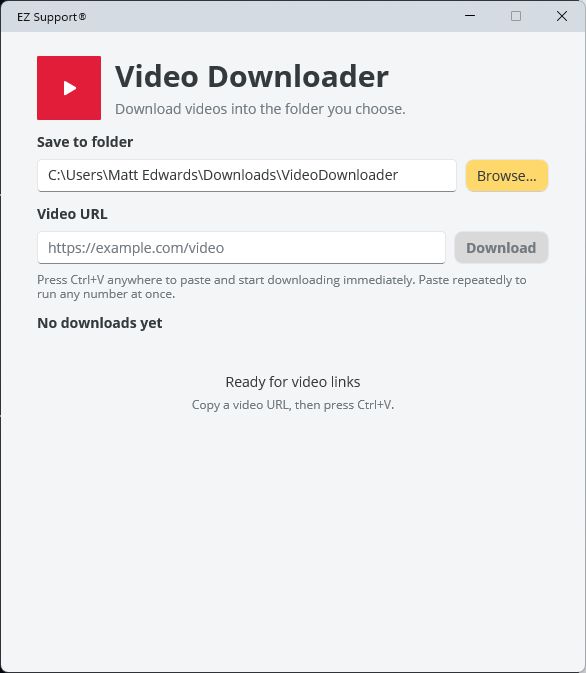
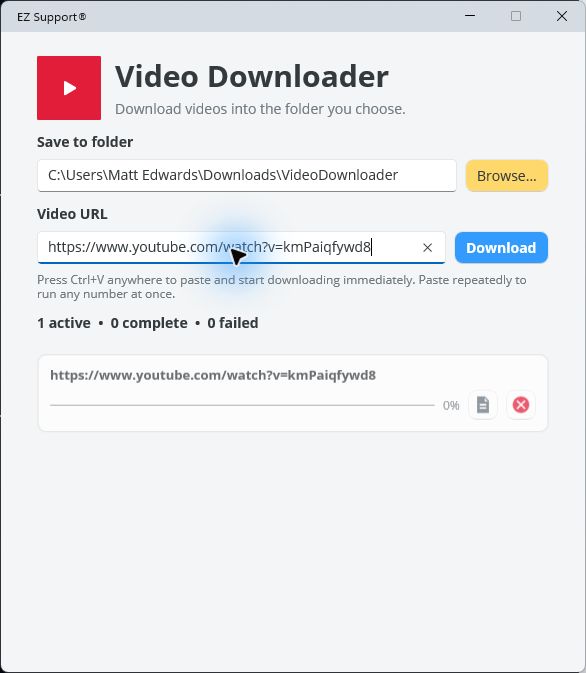
Save video media you are authorized to download into a Windows folder you control. Paste a link with Ctrl+V or enter it directly, submit different videos as separate tasks, and monitor or cancel each download independently.
Your access to a video does not necessarily give you the right to copy it. Confirm the site terms, licence, copyright, consent, and any organizational policy that applies before downloading. The utility does not bypass access controls and is not a substitute for permission.
Install Video Downloader
The digitally signed installer contains the Windows application. The first download retrieves the signed video engine from this EZ Support download folder, verifies its checksum, and then reuses it.
To check for a new application release, open Help in Video Downloader and select Check for updates. The separately packaged video engine is downloaded only from the EZ Support download service.
See Video Downloader in action
Choose the destination once, then paste video links directly into the application. Every active video has its own progress, log, and cancel controls.
How to install
- Select Download installer.
- Open
VideoDownloader.appinstallerwhen the download finishes. - Confirm that the publisher is EZ Support, then select Install.
If your browser downloads the manifest instead of opening App Installer, use the direct MSIX download on this page.
Logs and concurrent downloads
Video Downloader can run any number of different video downloads at the same time. A duplicate link is ignored while that same link is already active. Each active video writes a log under the selected destination’s logs folder. Successful downloads remove their logs; failed or cancelled downloads retain them for troubleshooting.
Verify the download
SHA-256 checksums are available in SHA256SUMS.txt.
Confirm that Windows identifies the publisher as EZ Support, then compare the downloaded file’s SHA-256 value with the published checksum when independent verification matters.
Limits and support boundary
Video availability, formats, and site behaviour can change. A successful application install does not guarantee that a particular site permits or technically supports downloading. The utility is provided without warranty. Retained logs can help diagnose a failed or cancelled task, but EZ Support does not promise compatibility with every media source or continued access to third-party content.