
AI Agent Inventories and Access Controls for Small Teams
If you are the IT or operations lead approving AI tools, useful experiments can become invisible infrastructure surprisingly quickly. An agent that can reach systems, use data, or trigger work may affect employees, customers, and business records long after the first test.
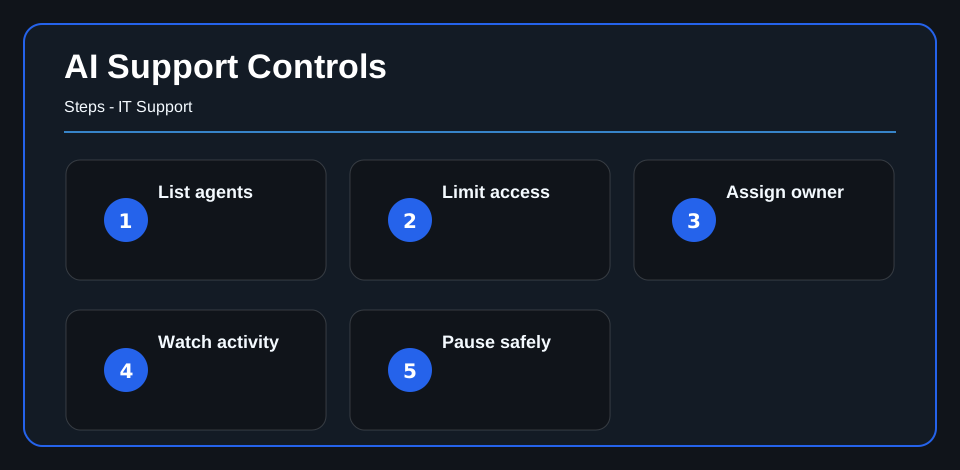
Before the team expands automation, make the decision visible: list each agent, assign accountable business and technical owners, limit access to the approved job, monitor material activity, and define who can pause it. This is practical governance, not a claim that every AI use carries the same risk.
Make a simple inventory
Start with the basics: agent name, purpose, owner, systems it can access, data it can use, and actions it can take. This does not need to be complicated. It needs to be current enough that support and security teams can answer a simple question: what automated activity is running here?
That inventory matters because the agent cannot accept responsibility for a poor decision or unexpected action. Accountability remains with the people who approve, configure, and operate it.
Limit access by job
Do not give an agent broad access because setup is easier. Access should match the job. An agent that summarizes approved information should not have the same permissions as an agent that can write to business systems or start workflows.
For small teams, this is where good support habits help. Keep permissions narrow, review them when the agent’s role changes, and make sure credentials and integrations are owned by the business.
Watch what happens after launch
Approval at launch is not the same as control after launch. Agent behavior, prompts, permissions, and integrations can change. Monitoring should show what the agent attempted, what it completed, where exceptions happened, and when activity looks outside the expected pattern.
If your environment already uses Managed SIEM or Computer Monitoring, those visibility habits can support AI governance too. Confirm that the relevant agent, identity, system, and action are actually in scope before relying on either source.
Define pause points
Every useful agent should have a safe way to stop, reduce permissions, or route work back to a human review. The pause point should be agreed to before the tool is relied on.
That is not anti-innovation. It is how a business experiments without letting automation create unmanaged risk.
For the broader small-team operating model, AI agent governance for small business teams explains how to connect use cases, owners, risk, monitoring, pause rules, and review cadence.
What to do next
Start with one list. Record the agents already in use or being tested, assign business and technical owners, document access, and decide which signal would cause each one to be paused.
For help designing the workflow, approval points, and human review, continue to AI Automation and Business Workflows expertise. The next step is to map one real agent and its boundaries, not to automate every process at once.